01 · 06:00 → 22:00
Time is the navigation.
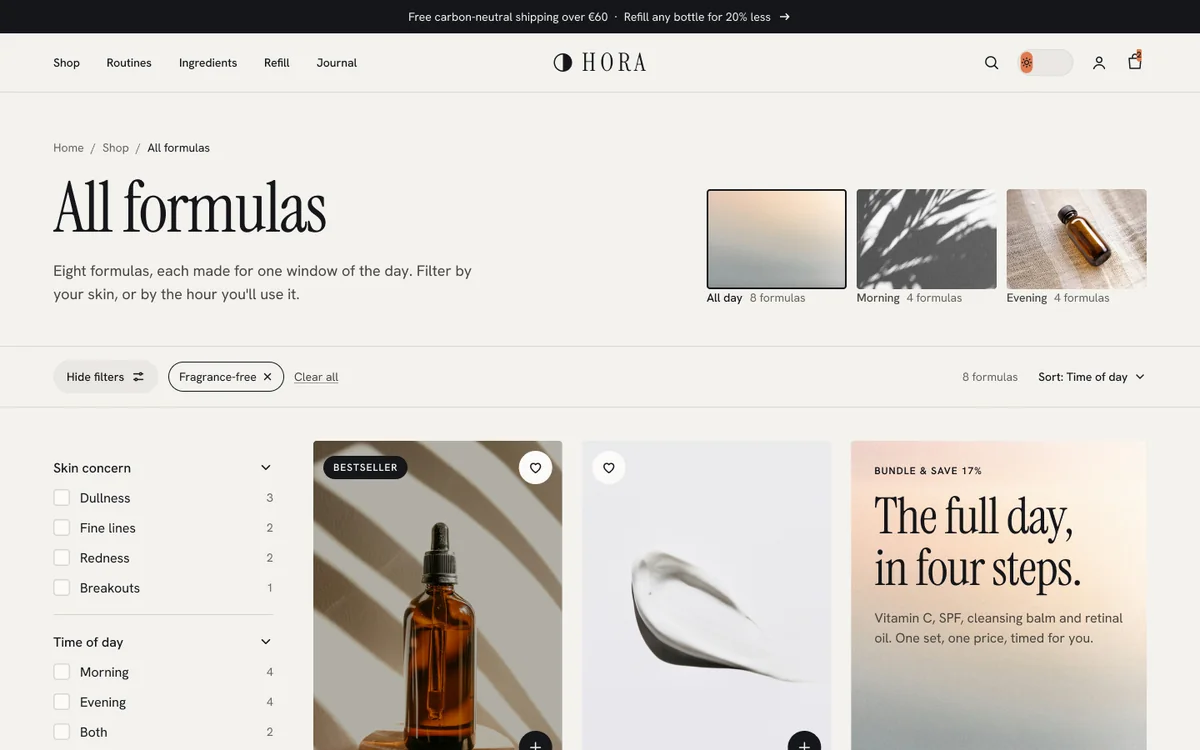
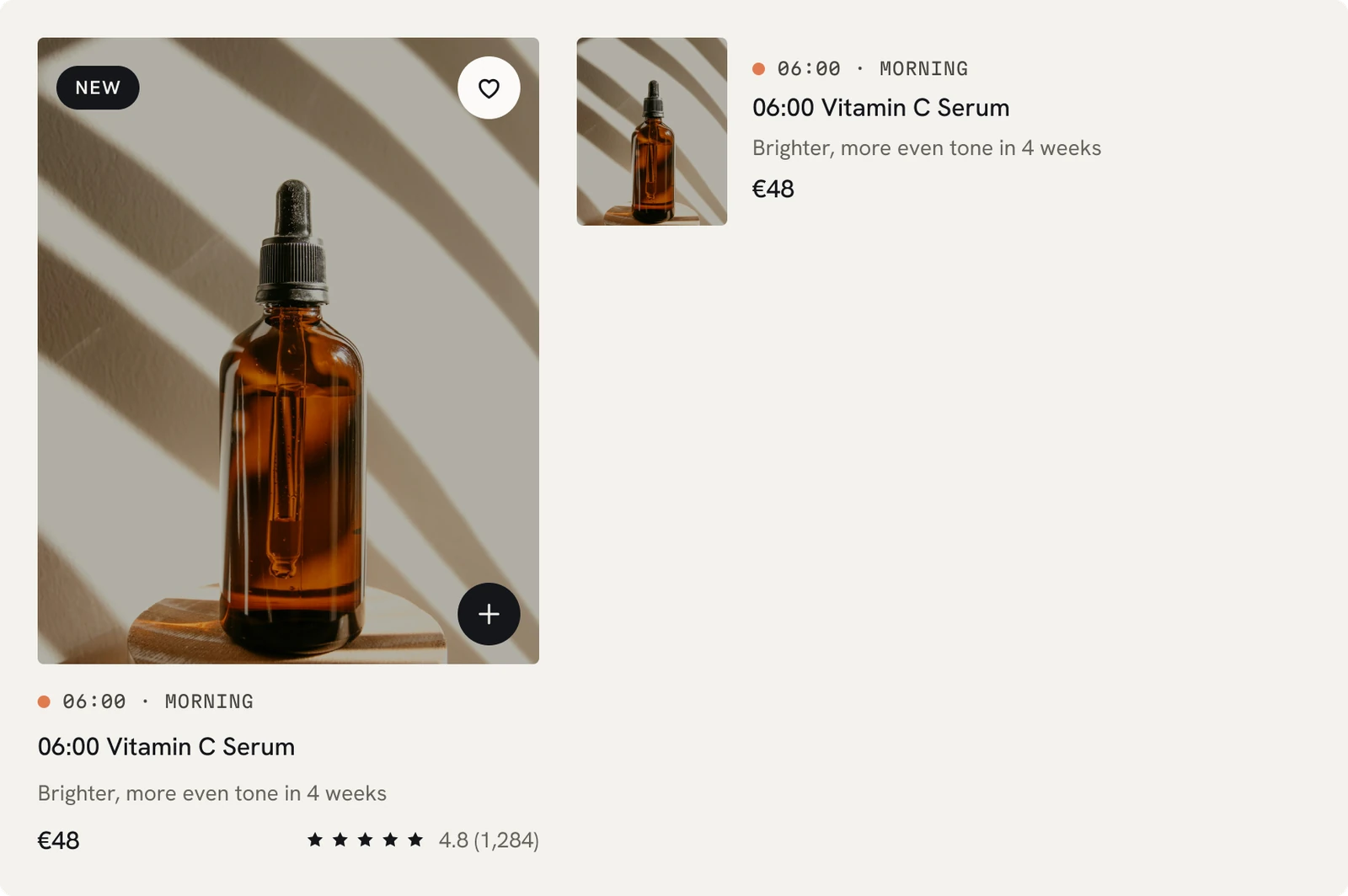
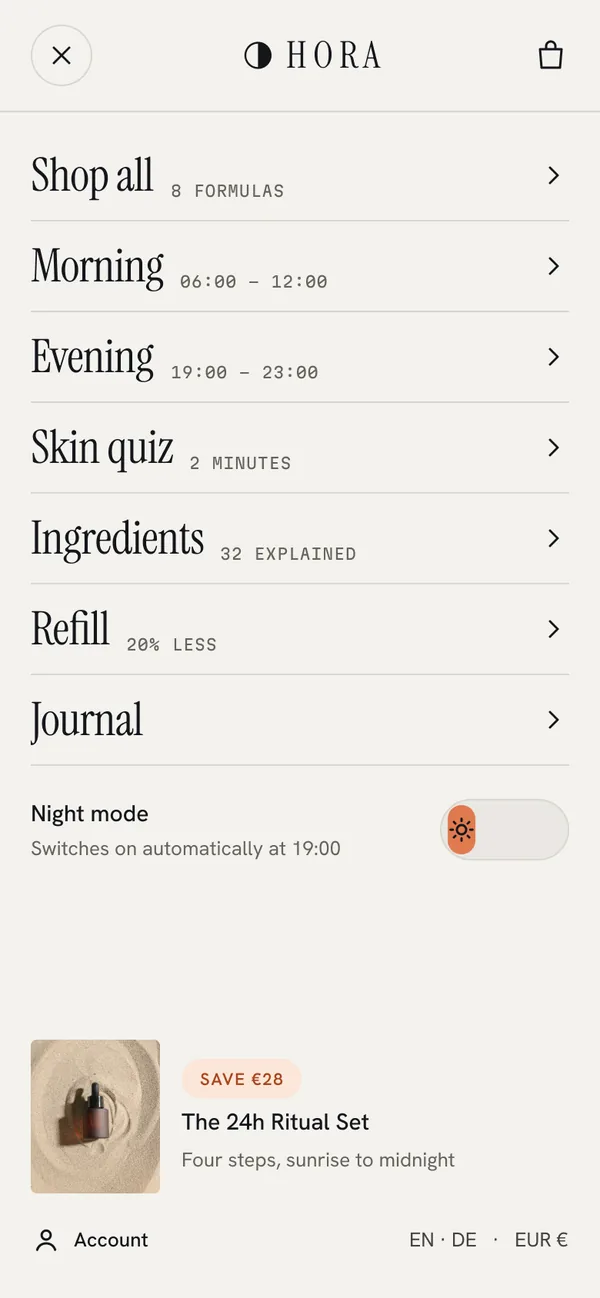
Every product has a time code and one benefit line. Collections, filters, the AM/PM tabs and routines all sort by time of day, so shoppers see what to use and when, not just a list of actives.
Shopify store concept · UI/UX case study · 2026
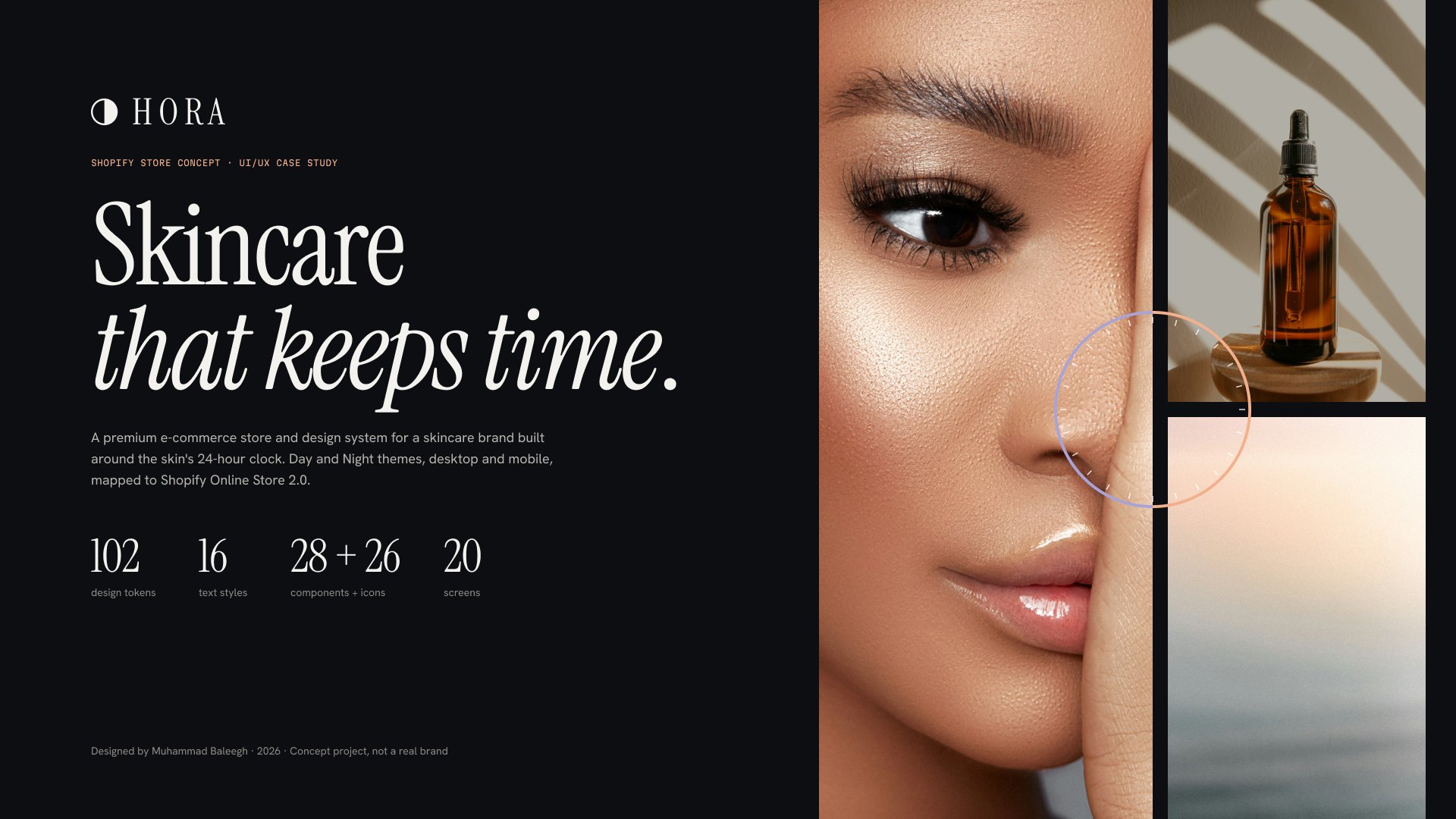
HORA is a premium e-commerce store and design system for a skincare brand built around the skin’s 24-hour clock. Day and Night themes, desktop and mobile, mapped to Shopify Online Store 2.0.
A 39-second film, animated in Figma. Sound on.
01 · The brief
Skincare shoppers buy single products without a routine, use them at the wrong time and give up before results show. Most stores sell by category and ingredient list, which makes the problem worse.
HORA sells by time. Every formula carries a time code, 06:00 Vitamin C Serum or 22:00 Retinal Night Oil, and the whole store, from navigation to filters to the cart, is organised around morning and evening.
02 · Four decisions
Each decision came from a desk-research insight on the process board, and each one shows up in the screens.
01 · 06:00 → 22:00
Every product has a time code and one benefit line. Collections, filters, the AM/PM tabs and routines all sort by time of day, so shoppers see what to use and when, not just a list of actives.
 DayNight
02 · 19:00
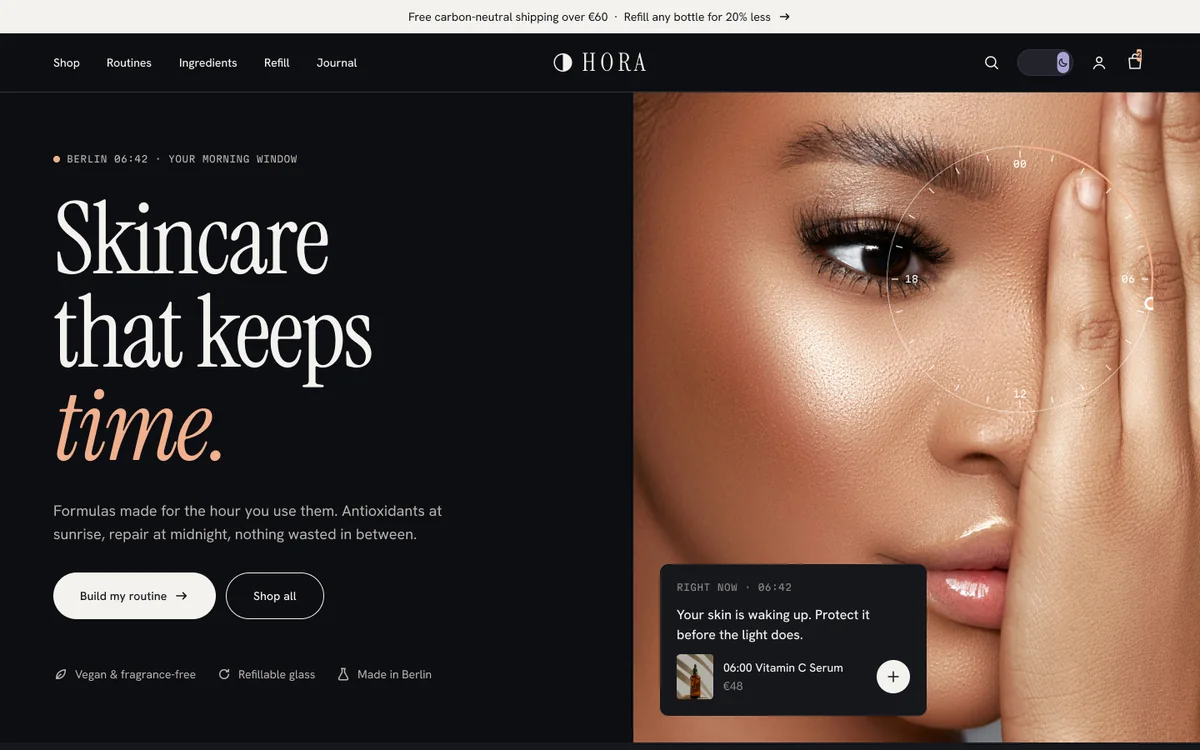
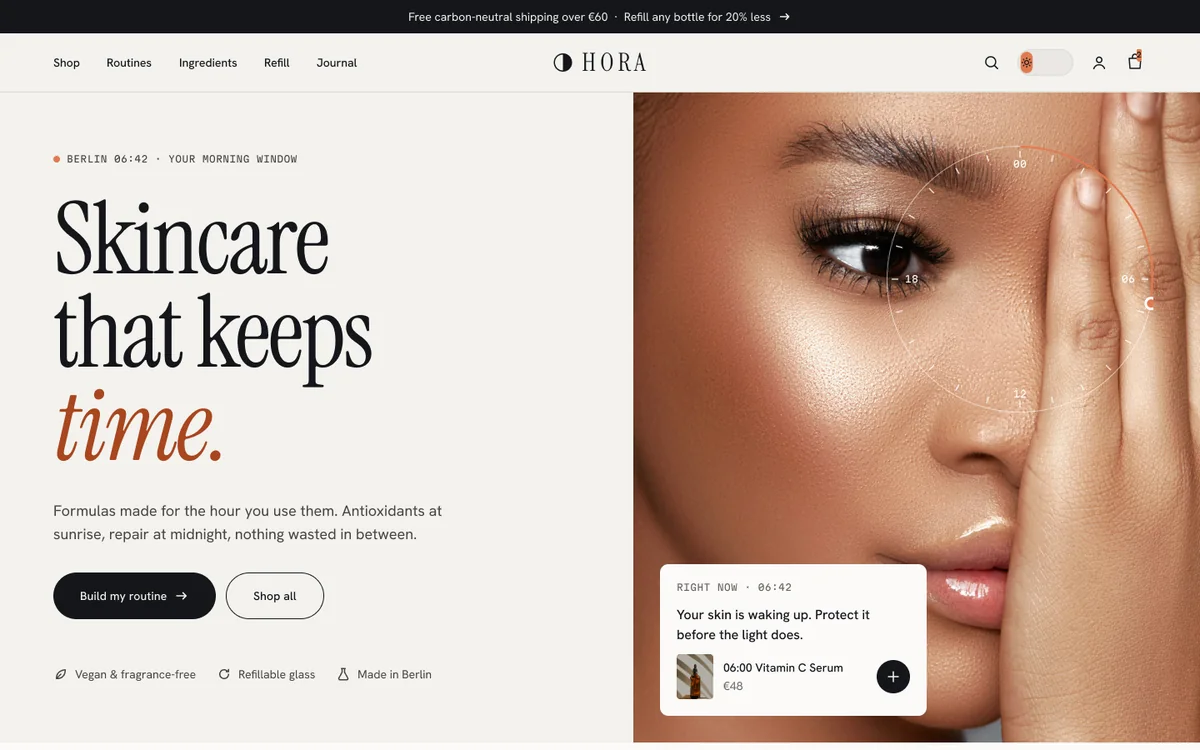
Beauty browsing peaks in the evening, so the store has a real dark theme, not an inverted one. Both modes share the same 29 colour tokens. Night switches on after 19:00 and the header toggle overrides it. Try the toggle at the top of this page: it uses the same tokens.
03 · 7 questions
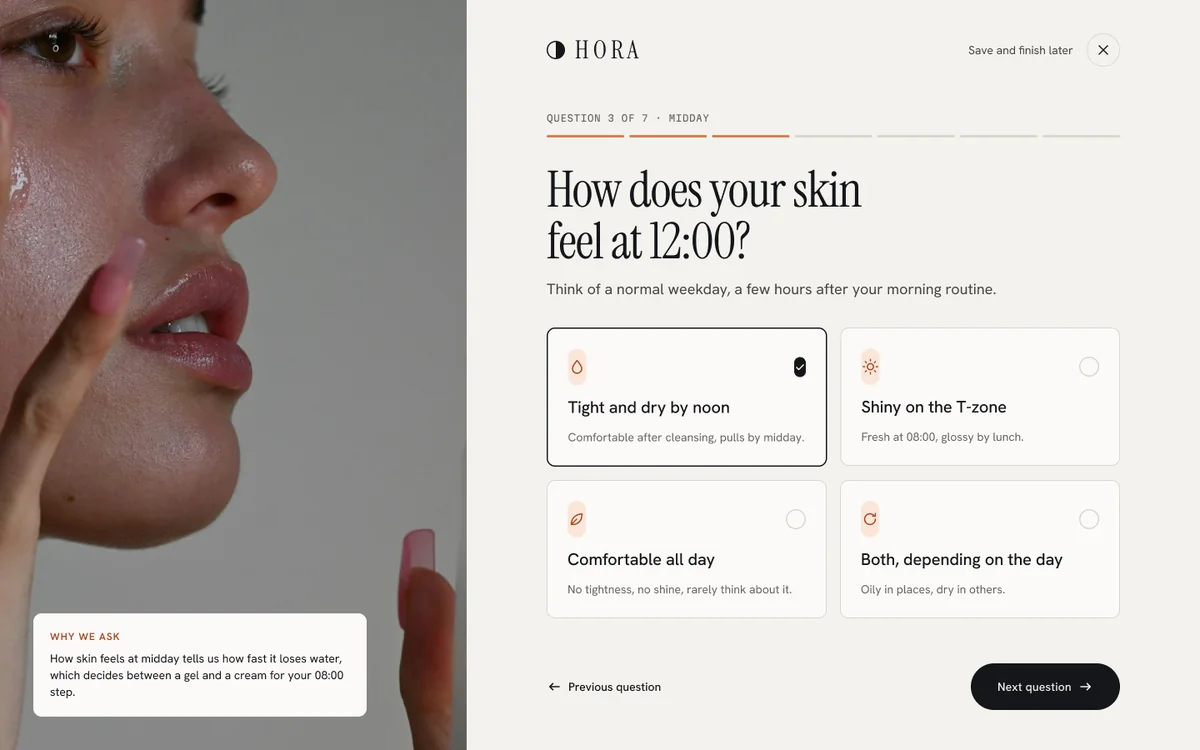
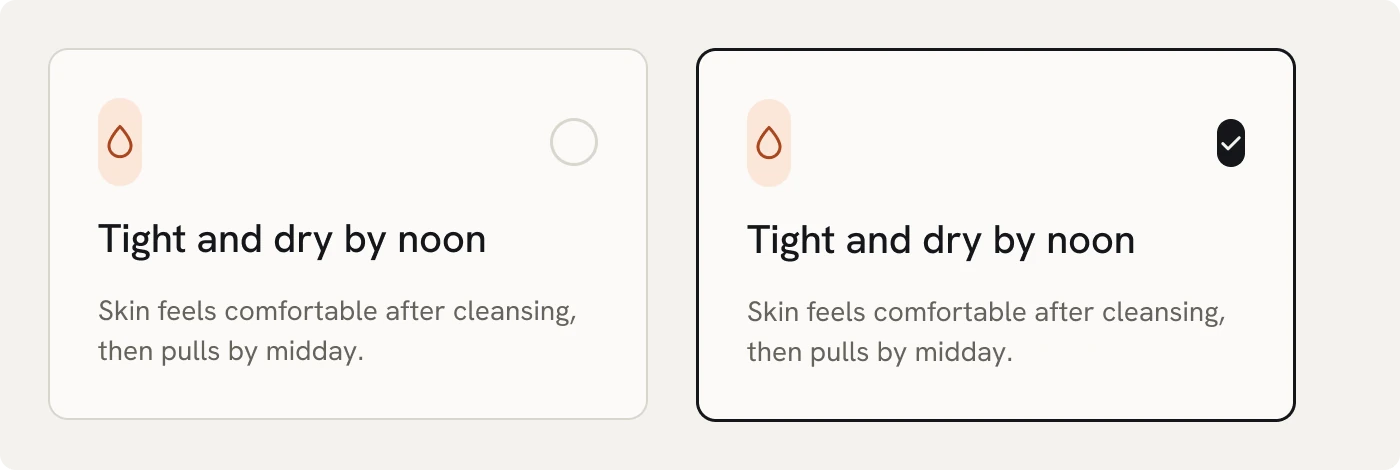
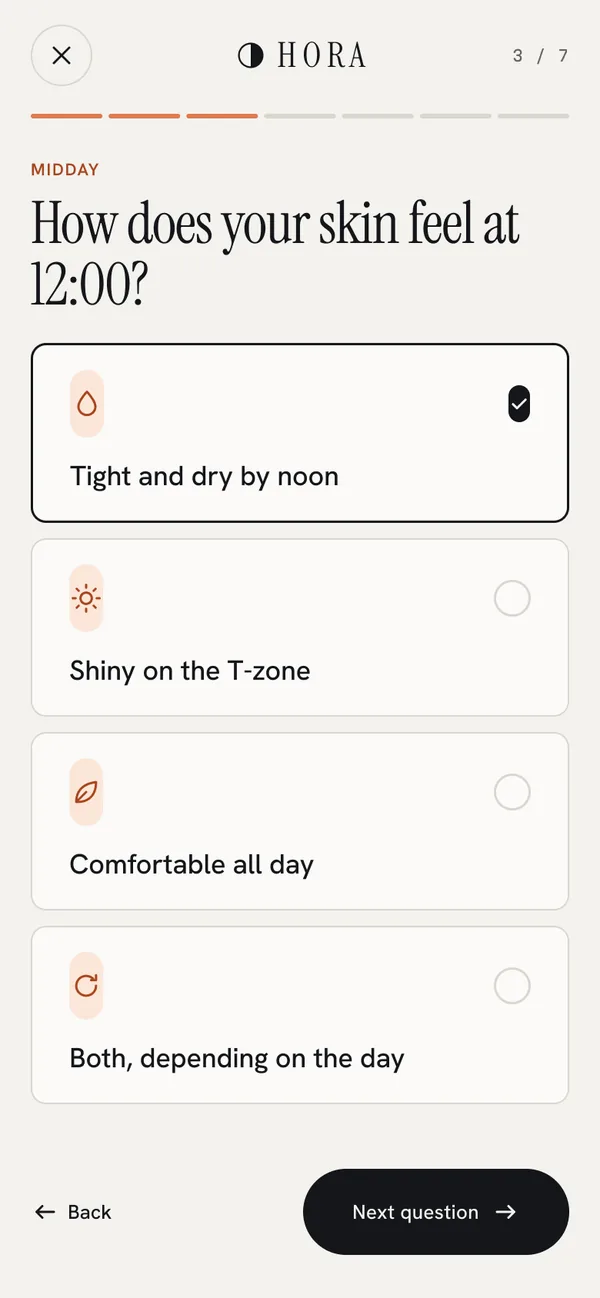
Seven questions produce a morning and an evening routine: 7 formulas for €259.25 with 15 % saved. One tap adds the whole routine to the bag as a subscription. Each question explains why it is asked.
04 · €48 → €40.80
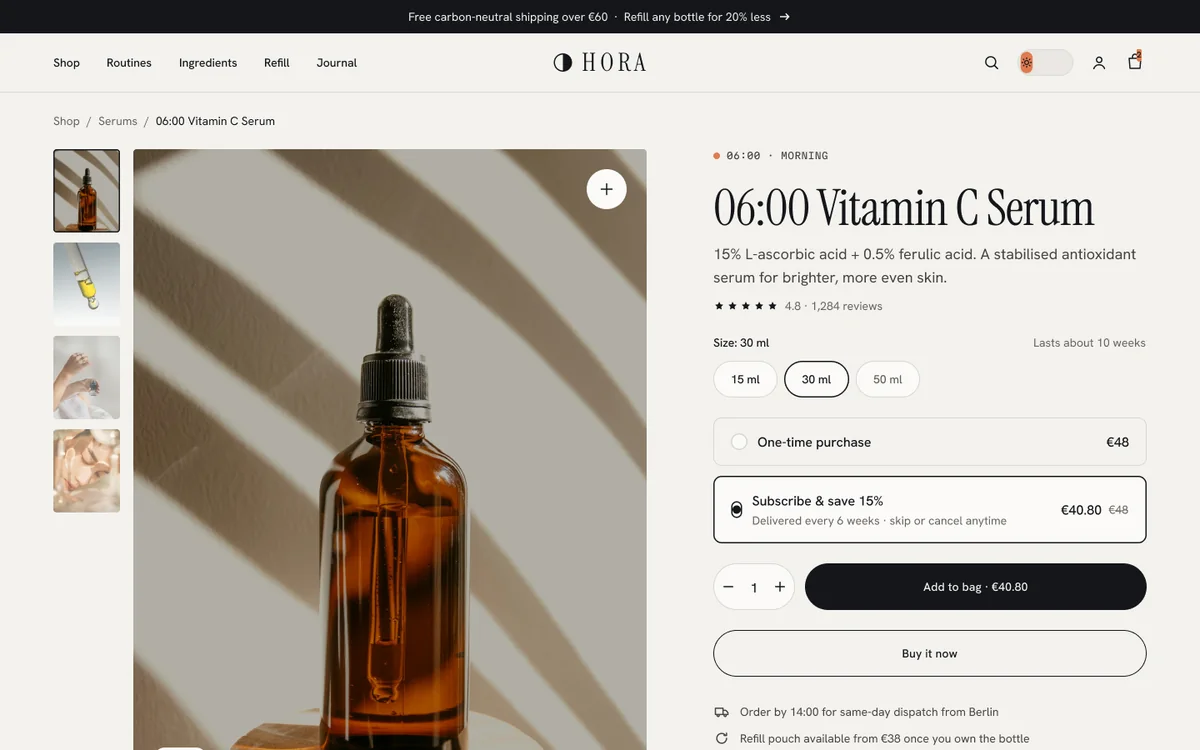
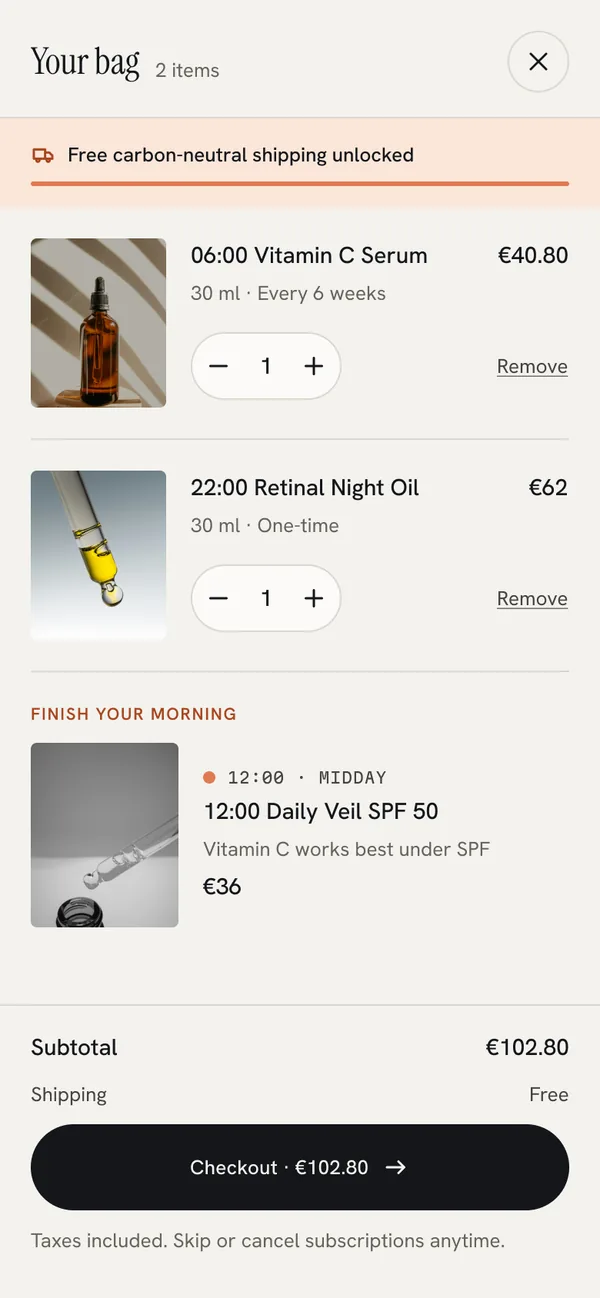
Subscribe and save sits right beside the price, with “skip or cancel anytime” on the same line. The saving is shown in the cart and the account, so a subscription never feels like a trap.
03 · The process
Before any screen, I mapped the project in FigJam: brief, insights, key decisions, sitemap, two user flows, the Shopify architecture and the token chain.
The insights are desk research and assumptions, clearly labelled. No user interviews were run for this concept, so the board ends with what I would test first.
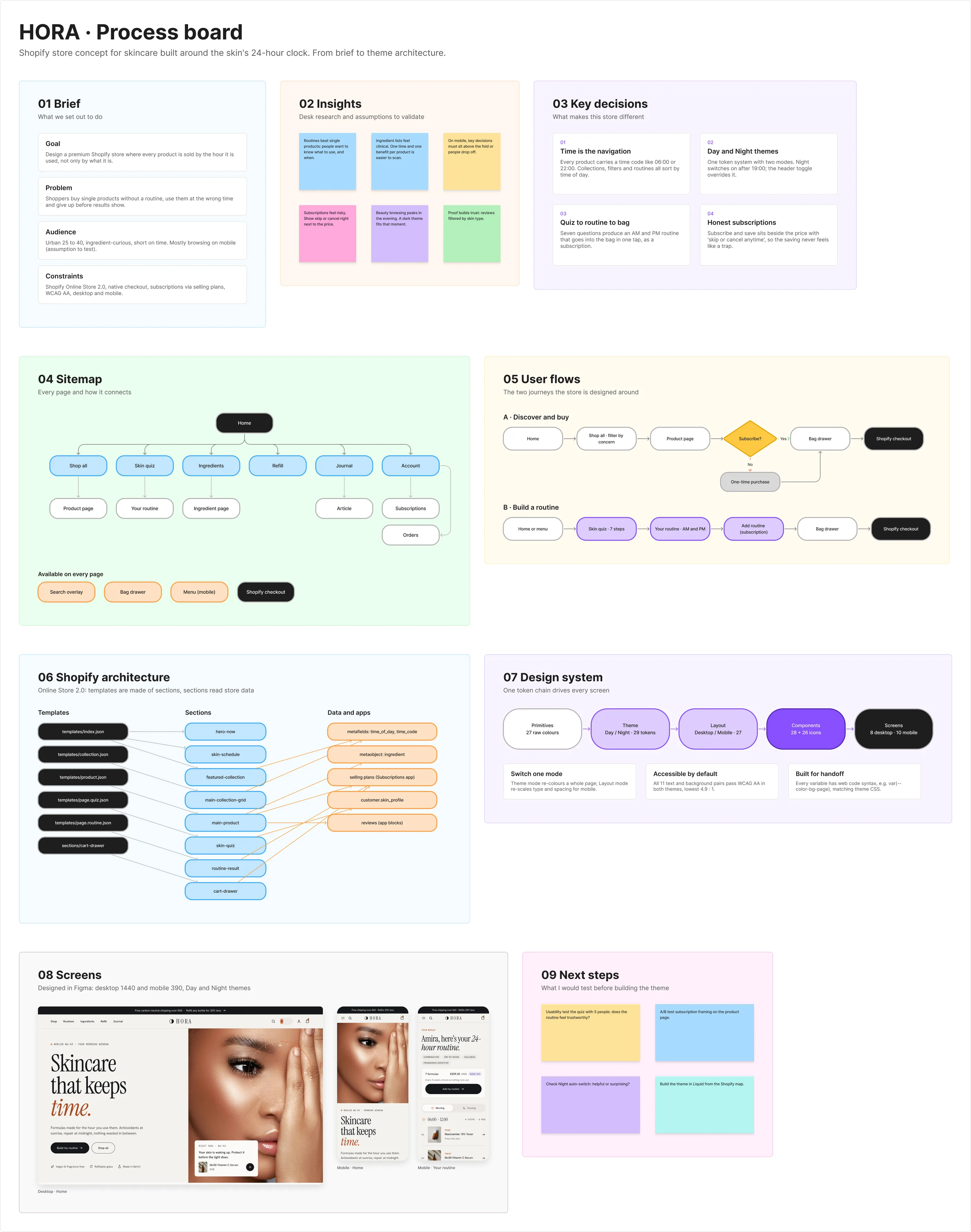
Insights from desk research. Assumptions to validate, not findings.
04 · The design system
Four variable collections. Components bind only to Theme, Layout and Spacing, never to raw values, so one mode switch re-themes or re-scales a whole page. Every variable carries web code syntax, like var(--color-bg-page), which is exactly what this page’s CSS uses.
bg/page#F3F2EE#0D0E12bg/surface#FBFAF8#16171Dtext/primary#15161A#F3F2EEtext/muted#67635C#8E8B85accent/am#E07B4F#F2B08Caccent/pm#4B4391#A9A3D6bg/tint-am#FBE6D9#3B2116bg/tint-pm#E4E2F1#2A2557Contrast, computed in both modes
| Text on background | Day | Night |
|---|---|---|
| text/primary on bg/page | 16.1 | 17.2 |
| text/secondary on bg/page | 8.8 | 9.5 |
| text/muted on bg/page | 5.3 | 5.7 |
| text/accent on bg/page | 5.2 | 10.4 |
| text/on-accent on action/accent | 6.1 | 9.8 |
| text/accent on bg/tint-am | 4.9 | 8.0 |
11 pairs checked, all pass WCAG AA. Lowest: 4.9 : 1.
Type scale, bound to Layout mode
Keeps time
Display/XL · 120 → 60One drop at 06:00
Display/L · 84 → 46Tight and dry by noon
Heading/S · 20 → 18Formulas made for the hour you use them.
Body/L · 18 → 1706:00 · Morning
Mono/Time · 11 → 10Instrument Serif, Hanken Grotesk and Martian Mono. Switch a frame to Mobile and all 16 styles re-scale.





05 · The screens
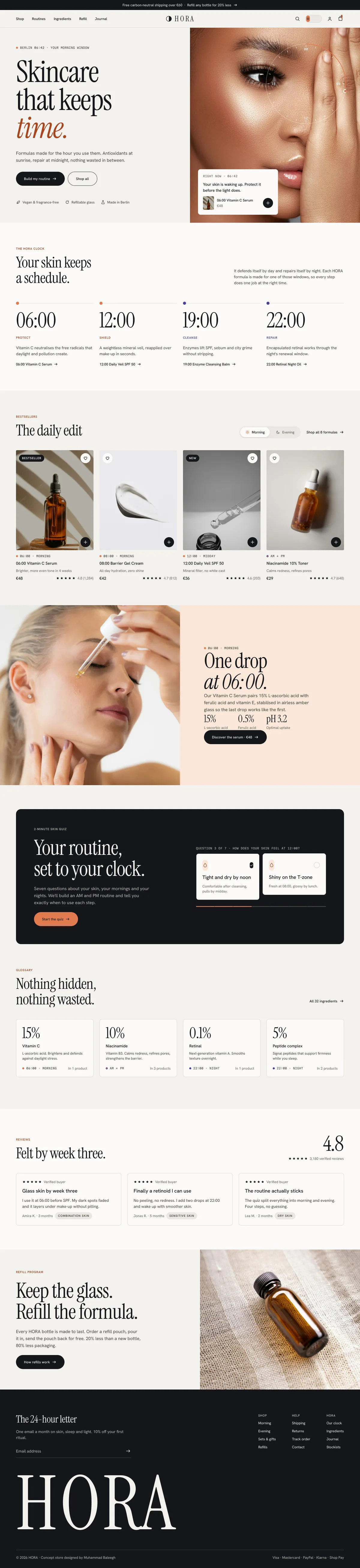
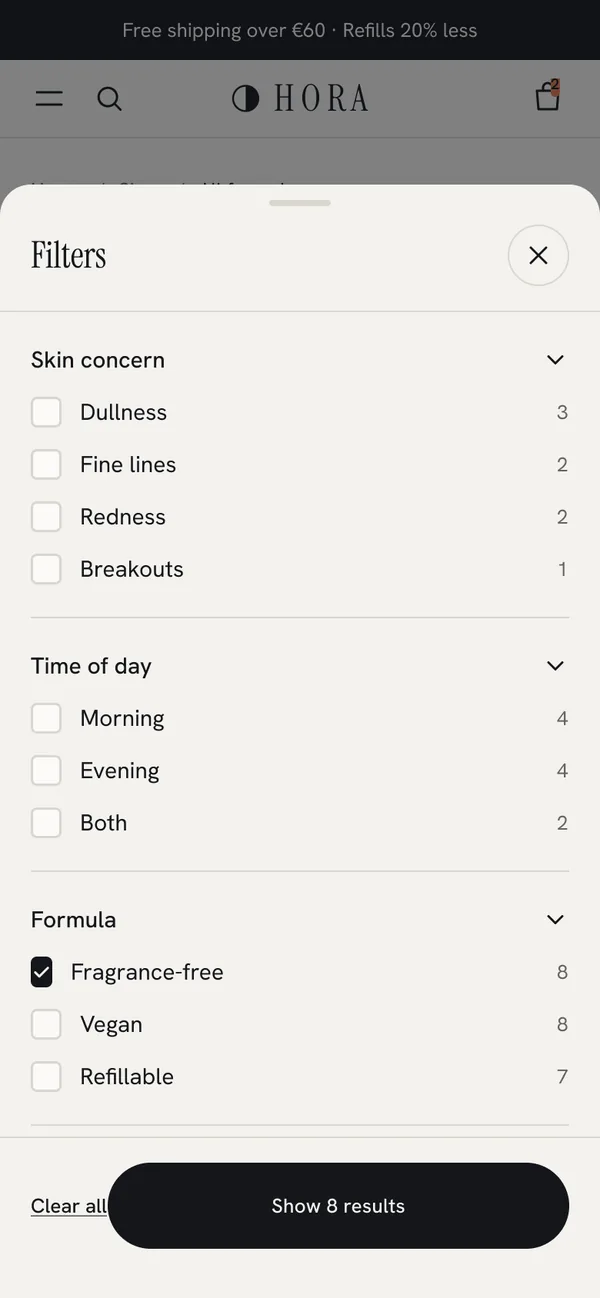
Full-length pages at 1440 px, shown at their real height. Pick a page and scroll inside the window. Home follows the theme toggle at the top of this page.
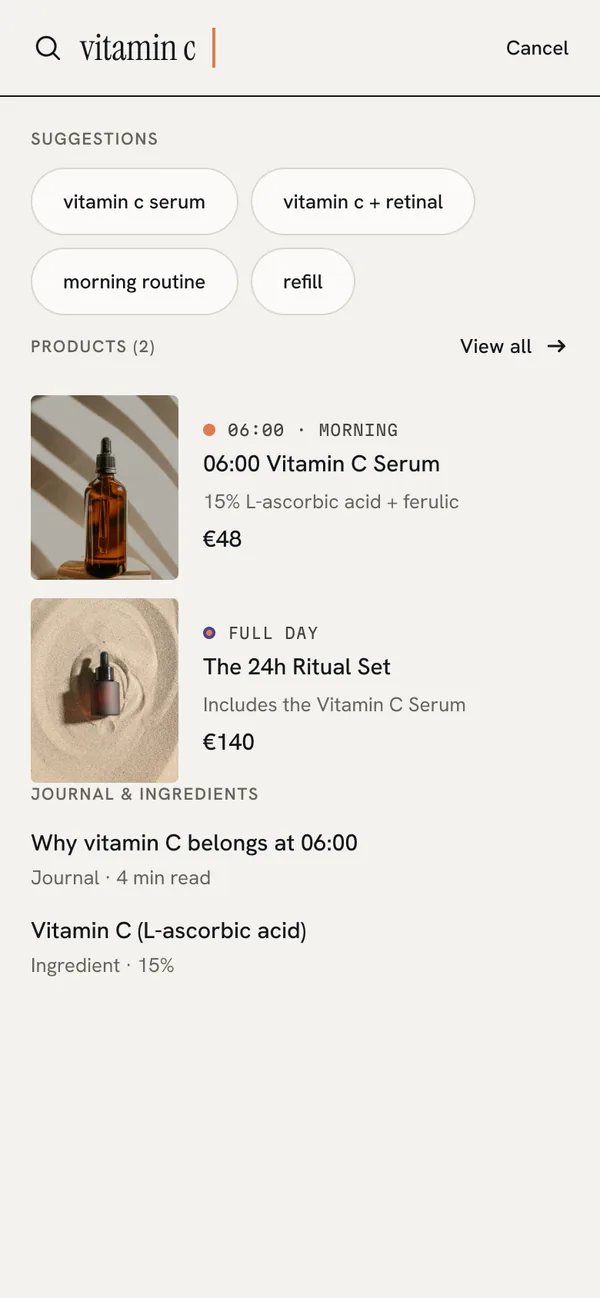
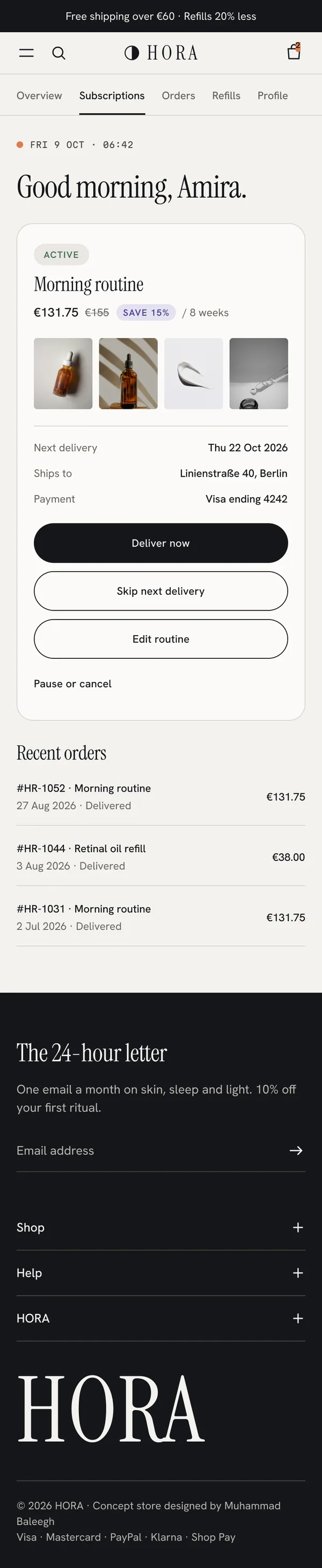
390 px, with the key decision above the fold on every page. Each phone scrolls on its own. Scroll sideways for more.




06 · Shopify handoff
JSON templates made of reusable sections and blocks, so a merchant can rearrange the store in the theme editor without code. Component names match snippet names, and product data lives in metafields and metaobjects.
| Screen | Template | Sections | Data |
|---|---|---|---|
| Home | templates/index.json | hero-now · skin-schedule · featured-collection (AM/PM tabs) · quiz-cta · ingredient-list · reviews · refill-banner | collections, metaobject ingredient, reviews app |
| Collection | templates/collection.json | main-collection-banner (time-window tiles) · main-collection-product-grid | Search & Discovery filters on metafields |
| Product | templates/product.json | main-product (time tag, variant picker, selling plans, buy buttons) · routine-steps · complementary-products · reviews | product metafields, selling_plan_groups |
| Skin quiz | templates/page.quiz.json | skin-quiz (custom section, 7 steps, results saved to the customer) | customer.custom.skin_profile |
| Your routine | templates/page.routine.json | routine-result (AM / PM) · add-routine via /cart/add.js with selling_plan | quiz answers → product handles |
| Cart | sections/cart-drawer.liquid | cart-drawer · free-shipping-progress · upsell | cart, recommendations (complementary) |
| Search | sections/predictive-search.liquid | products, articles, pages, suggestions | /search/suggest.json |
| Account | customer accounts | subscriptions portal styled with the same tokens | Shopify Subscriptions app |
Metafields & metaobjects
product.custom.time_of_dayproduct.custom.time_codeproduct.custom.key_ingredientsingredient metaobjects: cards, accordion, glossaryproduct.custom.routine_stepcustomer.custom.skin_profileTheme settings
Honest limits
07 · Try it
80 interactions: 39 on desktop, 41 on mobile. Two flows on each: shop to bag, and the skin quiz to your routine. It runs inside Figma, right here on the page.
Loads Figma’s player (about 5 MB).
08 · What I learned
Thanks for reading.